Charging Cable

First 1234567 Last 1/19

What is a Charging Cable


A cable used to charge a smartphone or other portable device. Plugging into the socket of a USB charger at one end, the cable has a device connector on the other (Mini USB, Micro USB, Apple dock connector, etc.). These power sources include: Wall adapters, Power banks, USB ports.


Understanding Different Types of Charging Cables


Micro-USB

Another past standard, this has been on the decline in mobile & portable devices for a few years now. Even smaller than mini-USB. You may still find the odd phone, tablet, or USB battery packs and game controllers, however, most have moved onto USB-C.


Type-C

The new standard and newest type of USB cable, a reversible connection. It packs more power throughput and has higher data transfer rates than previous USB types. USB-C can also handle multiple functions at the same time. Common on modern laptops, smartphones, and game consoles. This is the new industry standard.


Lightning

Apple's proprietary connector for iPhone, AirPods and certain iPads. It is not a USB standard; however, it has been a mainstay on Apple devices since 2012. Interestingly newer iPad Pro models now use USB-C.


Advantages of Charging Cable

High-Speed Data Transfer
USB charger cables have the ability to transfer data at high speeds, making them ideal for transferring large files quickly. This means that you can transfer files between devices in a matter of seconds, rather than minutes.

Universal Compatibility

USB charger cables can be used with a wide range of devices, from laptops and smartphones to cameras and gaming consoles. This means that you can use the same cable for multiple devices, making it a convenient and versatile option.

Reversible Connector

USB charger cables have a reversible connector, which means that you can plug them in either way round. This eliminates the frustration of trying to plug in a cable the wrong way, and it also means that the cable is less likely to become damaged over time.

1
productcate-1-1

Power Delivery

USB charger cables are capable of delivering power to devices at a faster rate than other types of cables. This means that you can charge your devices more quickly, and even power larger devices like laptops.

Compact Design

USB charger cables are designed to be more compact and lightweight than other types of cables. This makes them easy to carry around with you, and they take up less space in your bag or pocket.


Things to Know When Buying Charging Cable
13
2-2 2
3 2
2

USB Type
Before buying a cable for yourself, decide what type and version of USB you want to buy. Cables can have different types of USB connectors as we talk above. You can't charge any USB C device directly with a USB Type B cable, for example. Find the USB cables with the right connectors for your devices.
Length
The length of a charging cable play an important role for many purchasers. They want to be able to plug their phone in and still use it, which generally requires a longer cable. Shorter cables work great in the car, where you don't want a tangle of cords around your center console, or near the shifter. The downside to longer cords, is that you often lose charging speed with longer cords, as they are made from a smaller wire, thus improving their flexibility. Usually the charging brick is what will determine overall charging speed, however.
Style
The style of cables may vary. It could be a braided nylon cable, it could be a standard round PVC cable or it could be a flat ribbon cable. There are many different options and varieties to choose from. Generally speaking, the braided cables tend to last longer than traditional PVC cables. This is not always the case though, as some are made from a higher quality PVC, just as some braided cables are made from a lower quality nylon.
Capacity
The capacity of the cable is important if you value charging speed. The primary factor for speed in charging your phone is the charging brick. The determines the power output into the cable. Some cables cap out at 2 amps, where others can handle 3, 4 or 5 amps. The capacity of the cable is often determined by wire thickness and length.
Manufacturer
Always buy USB cables from reliable manufacturers only because they use high-quality materials to manufacture a cable.
Certification
Before buying a USB cable check for its safety certifications. These certifications ensure that the cable is safe to use under normal conditions without the risk of fire, short-circuit, and electric shock. These safety certifications are issued to manufacturers by the government.
Build Type
Rubber USB cables are common, but they get some environmental wear and tear over time. You can also buy braided USB cables because they are sturdier and more resistant to kinks and twists.


Our Certificates

ISO,BSCI MFI certified factory With FCC CE UL ETL UKCA PSE SAA ROHS,CB certificates.


MFI
BSCI
123456
20231128170511


Our Partners

Within 15 years,we served lots of customers all over the world like above.

productcate-1-1
productcate-1-1
productcate-1-1
productcate-1-1


Rich ODM Experience
 

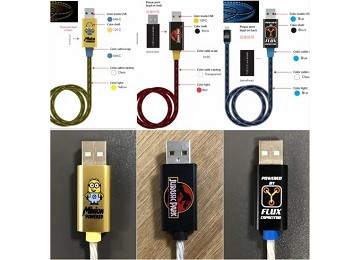
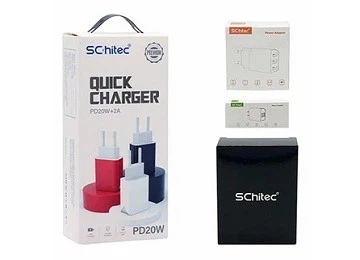
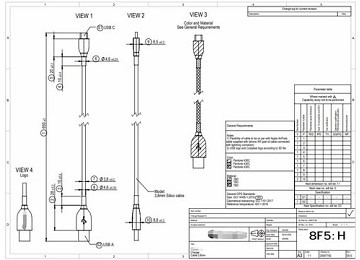
Various types of chargers and cables can be customized to meet customers' needs including Logo printing, package customization.
productcate-360-260
productcate-360-260
productcate-360-260


Frequently Asked Questions


Q: What is Type-A Type B and Type C charger?

A: USB-A, B, or C only refers to the physical design (or shape) of the ports and connectors. USB-A is in a flat and rectangular shape. USB-B comes in a variety of designs, and the standard one is a bit squarer. Moreover, USB-C has a more compact, rectangular shape with rounded corners.

Q: How do I know if I have USB-A or C?

A: USB-C ports are oval in shape and USB-C cables can fit in either way; there isn't a “right side up” like there is with USB 2.0 and 3.0 cables. USB-A ports are rectangular and USB 2.0 and USB 3.0 cables have a “right side up”-cables only fit in one way.

Q: Which is better C type or B type charger?

A: If you have a smartphone with a USB-C port, you likely notice that this device can charge faster. Your USB-C port can also move as much as 100 watts of power over the interface. You can't find these upgrades in USB types-A and B. That's not all that the USB-C can do that USB-A and B can't.

Q: What is a Type C charger look like?

A: The USB-C connector looks similar to a micro USB connector at first glance. But if you look closer, you will see it's more oval in shape and slightly thicker to accommodate its best feature: flippability.

Q: What is a USB-C cable look like?

A: The USB-C cable head is smaller than before, and looks a bit like a Micro-USB connector. Eventually this is the USB connector you'll use with your devices instead of using your existing USB-A, Micro-B, USB-Mini, or Lightning cable.

Q: What does a Type C plug look like?

A: The Type C plug (also called the Europlug) has two round pins. The pins are 4 to 4.8 mm wide with centers that are spaced 19 mm apart; the plug fits any socket that conforms to these dimensions.

Q: What is the difference between Type A and Type-C?

A: While USB-A could only support up to 2.5 watts and 5 volts, USB-C now supports 100 watts and 20 volts easily enough for larger devices. The practical benefits of this include pass-through charging; effectively a USB hub that powers laptops, and also charges other devices simultaneously.

Q: Are USB-A and C compatible?

A: A USB-C connector is much smaller, more rounded, and symmetrical, which means that it works no matter which way you insert the connector into the port. Although it features a different connector shape, USB-C is still backward compatible with USB-A devices through the use of an adapter.

Q: Are all charging cables the same?

A: Some cables might just be designed for data transfer and not support fast charging; others might support fast charging but only up to a certain power limit. Ensuring your USB-C cable, device, and charger all support the same standards and power levels is essential for achieving the best charging performance.

Q: Why is everyone using Type-C charger?

A: In addition USB-C allows for greater power transfer speeding up the process of charging your devices. Though tons of host machines and devices still support USB-A, these connections will eventually be phased out (though likely not for years in some cases) in favor of the superior USB-C connection type.

Q: How many types of Type-C Chargers are there?

A: There are a number of different types of USB-C to USB-C cables including: USB 2.0, USB 3.1 Gen 1, USB 3.1 Gen 2, and Thunderbolt 4. The main difference between all of these is their data transfer rates and their charge rates. Basic charge cables give you very slow data transfer speeds and typically only up to 60 watts.

Q: Why is charging cable important?

A: A proper fast charging cable can make a huge difference in charging speed, battery life and overall performance.

Q: What are the advantages of USB cables?

A: Universal Compatibility: USB cables are widely used and compatible with a wide range of devices like smartphones, tablets, cameras, and more. Ease of Use: They are easy to connect and disconnect, making charging and data transfer simple and convenient.

Q: Do charging cables make a difference?

A: Fast-charging cables transmit more power than regular cables to charge your battery quicker. Regular USB cables send around 2.5 Watts of power to your gadget's battery, while fast-charging cables can send as high as 120 watts, powering up phones in half an hour or one hour.

Q: Which cable is best for fast charging?

A: Some Android cellphones charge directly from USB-C. Others support Qualcomm 'Quick Charge' technology on their microUSB input, and so using a charger that supports Qualcomm QC will make a big difference.

Q: What are 5 uses of USB cable?

A: They are used to connect personal computers (PCs) and peripherals such as mice, keyboards, printers, digital cameras, and mass storage devices. USB cables are also used in factory environments, sometimes with a locking mechanism, for connecting USB industrial I/O devices to computers.

Q: What are the features of USB cable?

A: USB has the advantages of fast transmission speed, convenient use, hot plug support, flexible connection, independent power supply, etc. it can connect a variety of peripherals such as the keyboard, mouse, large-capacity storage device, etc.

Q: What is a USB charging cable?

A: A cable used to charge a smartphone or other portable device. Plugging into the socket of a USB charger at one end, the cable has a device connector on the other (Mini USB, Micro USB, Apple dock connector, etc.).

Q: How does USB cable work?

A: USB cables are capable of transferring both power and data. To achieve this, every USB cable features two sets of wires. One set carries the current while the other transfers the data signals. Within the standard USB 2.0 connector you can see four metal strips.

Q: What are the benefits of fast charging cable?

A: Instead of being limited to around 12 watts of power for charging, USB-C can power devices at up to 100 W. And the new data transfer rates, which speed up the performance of accessories such as external hard drives and video gear, can in some cases be up to 20 times faster.

We're well-known as one of the leading charging cable manufacturers and suppliers in China. Please feel free to wholesale high quality charging cable made in China here from our factory. Contact us for more details.

(0/10)

clearall