





Android 15 update details revealed again, introducing adaptive vibration
 Jun 02, 2024|
Recently, there have been a number of related Revelations about Google's devices, and most of them revolve around Android 15 and Pixel series devices.
Now, the latest news also mentions the Android 15 upgrade information again.

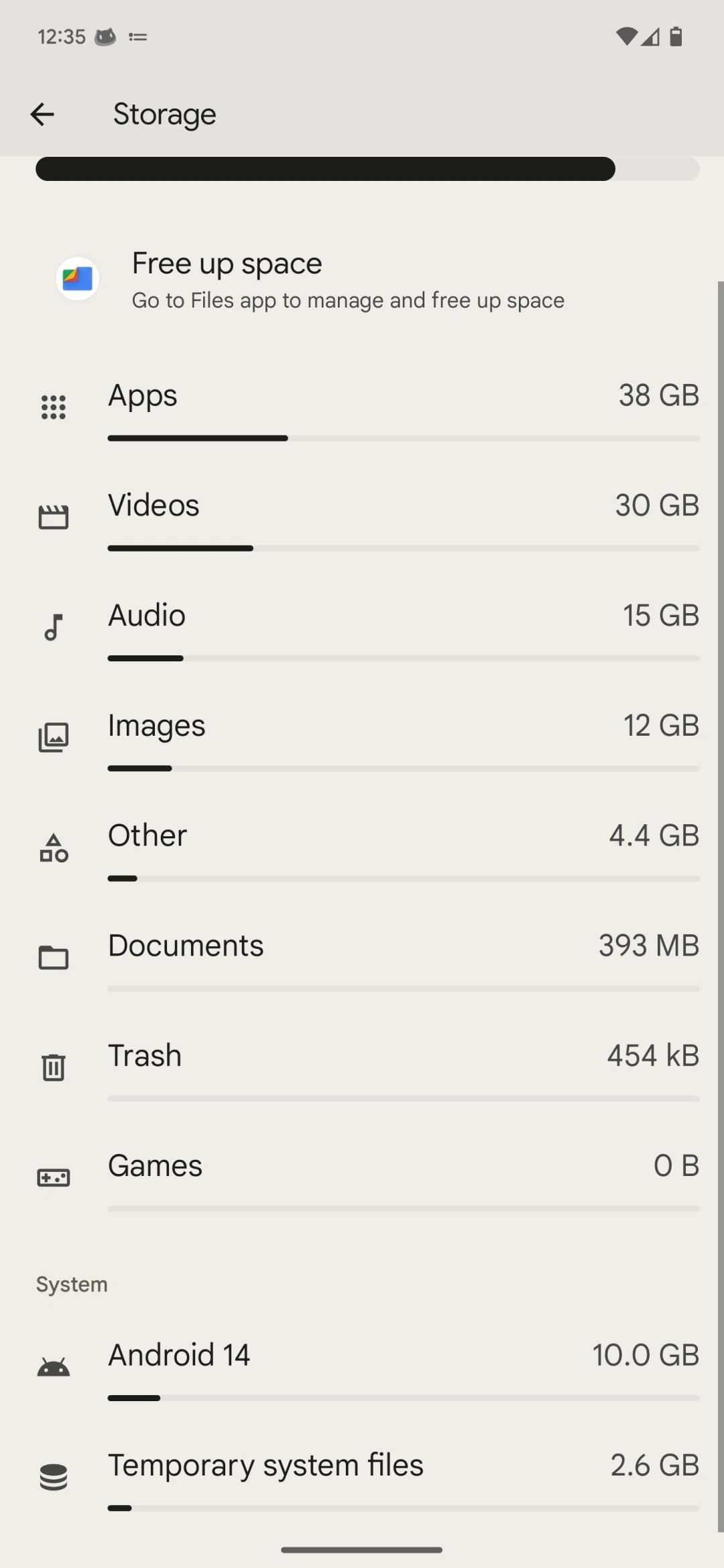
The latest revelation shows that in the storage Settings of Android 15 Beta 2, there is no longer a "System" option. Instead, the "System" title is divided into "OS (specific Android version)" and "temporary system files."
This may reduce some confusion about how much space system files take up. However, unrecognized files will still be treated as temporary system files.
At the same time, another revelation also shows that the latest Android 15 beta has a new "adaptive vibration" function.
Android 15 Beta 2 has a new adaptive vibration option under Settings > Sound and Vibration > Vibration and Touch. This setting works for multiple Pixel 7 Pro and Pixel 8 Pro devices, and it looks like it should be an upgrade for more than just one model.
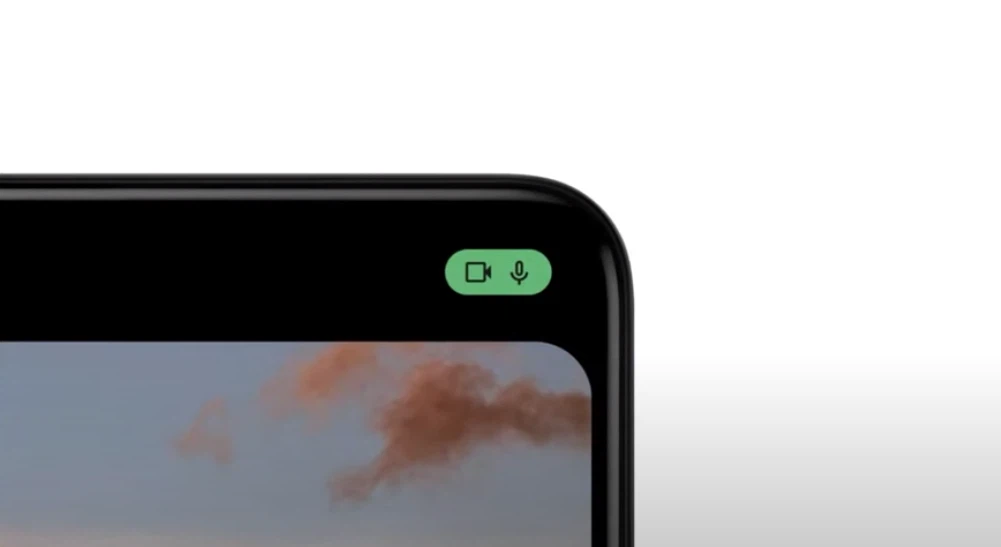
According to the description, adaptive vibration automatically adjusts the vibration of the phone according to the user's environment. It works by using the phone's microphone and other sensors to determine sound levels and environments. At the same time, in order to protect privacy, no data is recorded.

According to the description on the Adaptive Vibration page, when this feature is enabled, the tactile vibration of the phone will be more intense when the user places the phone on the sofa, and less when it is placed on the table.
It's not clear what sensor, other than the microphone, can adjust the vibration intensity of the phone, but from the description, the design of the feature is relatively practical.
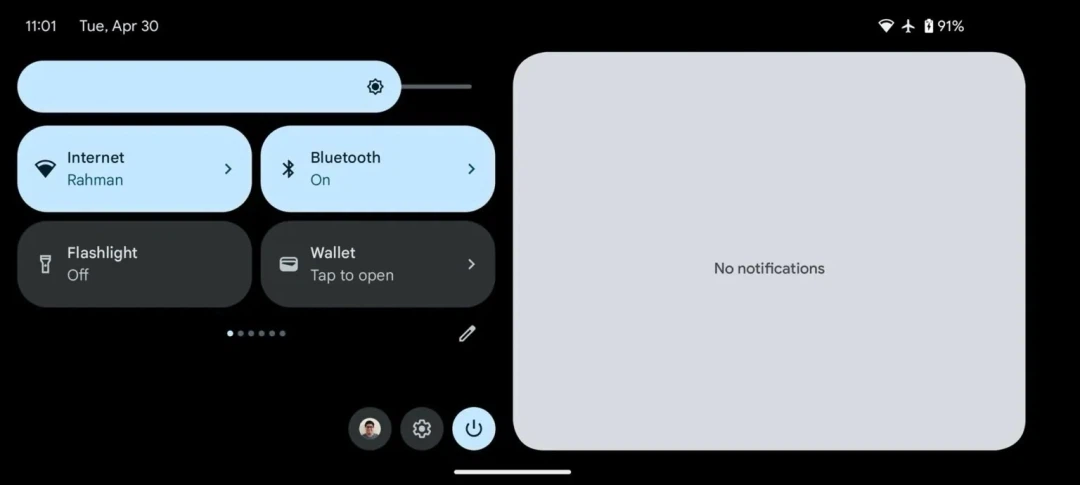
In addition, according to the news, the new Android 15 May improve the lock screen and notification panel, so that the phone is better displayed in landscape mode.
It is reported that the current device cannot switch to landscape mode when locking the screen, and the notification panel can be rotated to landscape mode, but the layout sacrifices a lot of space.

In the new Android 15, Google will update this part of the content.
Similarly, the new landscape mode layout of the phone's lock screen looks similar to that of a tablet.
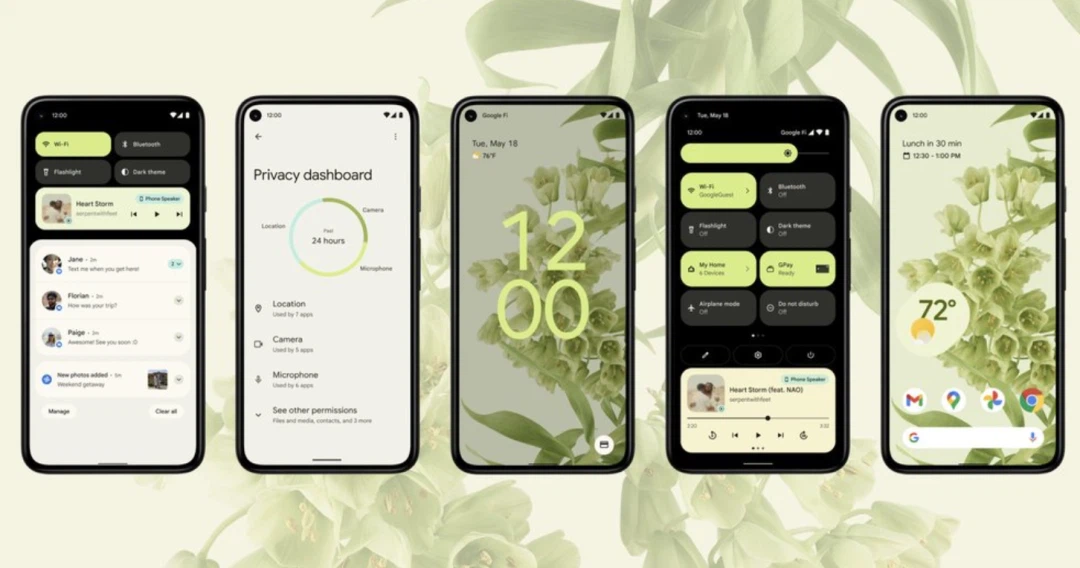
In addition to the adjustment of the notification panel, in the upcoming Android 15, Google will also bring the volume adjustment panel UI overhaul.
In the latest Android 15 Developer Preview 2 release, the new Volume panel UI can be manually activated. The controls have thicker bar sliders with a point at the end of the slider that can be quickly turned up to maximum volume, and ICONS in the bar area can be quickly muted to change the module.
Android 15's new volume panel is foldable. Clicking the button next to the media volume slider will collapse or expand the panel. As long as there is active media playback, the volume panel is folded by default. Otherwise, it opens in a fully expanded state.
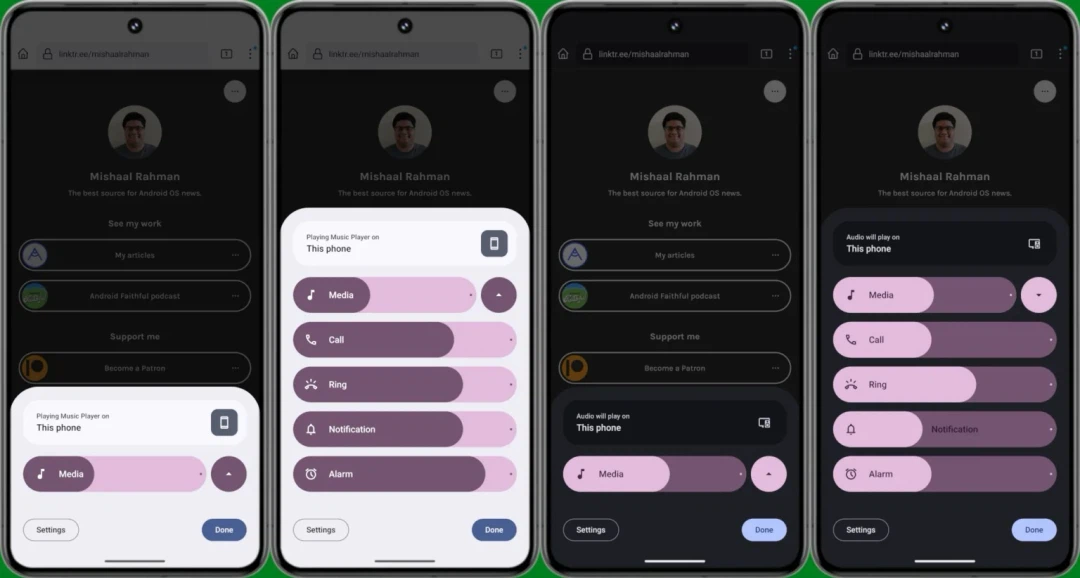
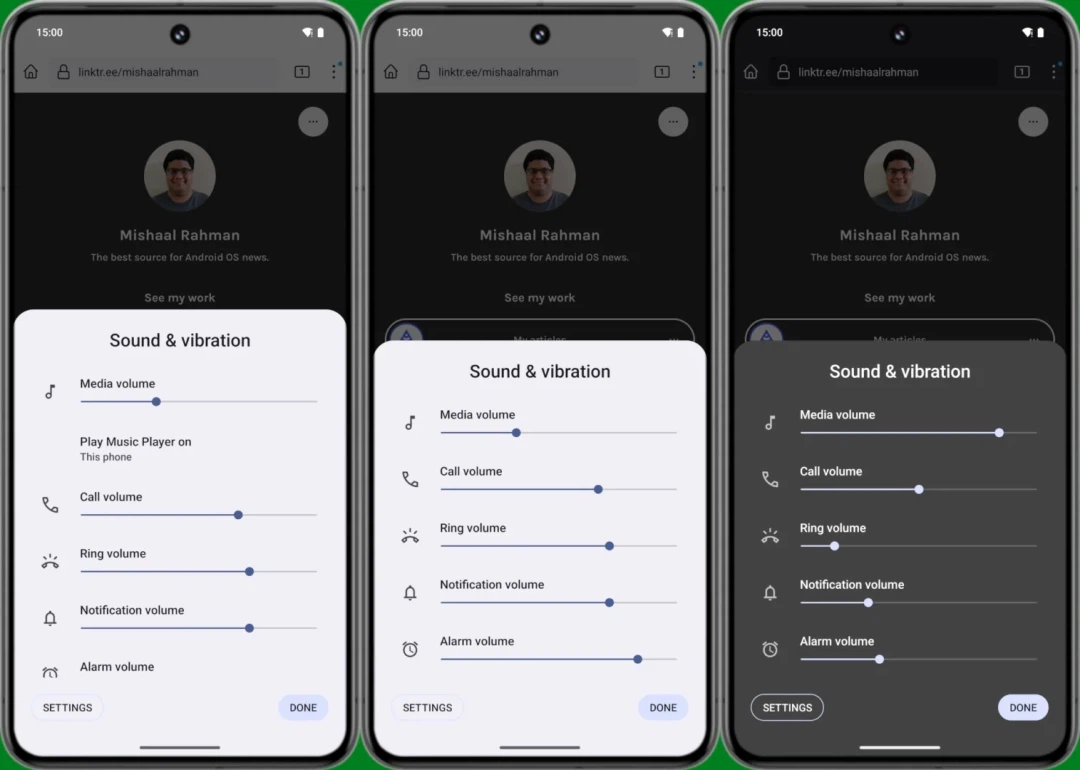
The "Sound and Vibration" title in the Android 14 volume adjustment panel is also gone in Android 15, replaced by a media output shortcut.
Google has also added some animations to the new Android 15 volume panel. The control name text can move with the slider, so users can always see the control name when adjusting the volume level. At the same time, when you move the slider, the current volume level will also be displayed in the position of the icon.
In addition to the new design, the volume panel will also display additional controls such as spatial audio and "noise control."