Micro Cable

First 12345 Last 1/5
What is a Micro Cable

A micro USB is a miniaturized version of the Universal Serial Bus interface developed for connecting compact and mobile devices, such as smartphones, MP3 players, Global Positioning System devices, printers and digital cameras.

How Does Micro USB Cable Work

Micro USB cable, although most widely used for smartphone charging, are not simply limited to smartphones. With just about any current device that requires charging (like cameras and GPS devices for starters), you'll find that they utilize micro-USBs for charging as well. When plugged into a source of power, whether that be a wall outlet or your computer (and usually you'll have an adapter that plugs into a wall outlet and has a USB-A port for the micro-USB cord to plug into), power is transferred through the micro-USB cord to charge your device. In the case of computers, this also connects your device to a desktop or laptop, giving you the ability to perform some different actions for your device straight from your desktop-in addition to charging, that can include viewing photos, files and more.

Advantages of Micro Cable

In addition to the regular products that we already produce.


Easy to Portable

Micro USB has a compact size of roughly 3 x 7 mm, which makes it very easy to carry. You can carry it in a pocket or even in a wallet.


Durability

Reliable and robust design can provide a stable connection, even after thousands of insertions.


High Effective

The integration of power and data transportation in one connector can provide cost savings.


Common Types of Micro Cables
3 Ports Quick Charger QC 3.0
Micro USB Android Charger Phone Micro Cables
10w Wireless Car Mobile Phone Charger Holder
High Quality Electric Car Charger for Cell Phone With Dual 2 Ports 2.1A

Micro-A USB Cables
On the Go (OTG) devices commonly use the Micro-A USB cable and differ from the normal USB connection. You can establish communication between two devices using Micro-A USB without needing a computer acting as a mediator. Micro-A USB cables come with a female, rectangular-sized connector. You can easily identify a Micro-A USB cable by looking at its compact 5-pin design and white receptacle. Micro-A USB cables often are compatible for use in conjunction with Micro-B USB gadgets.
Micro-B USB Cable
The Micro-B USB standard is found in most smartphones and various small electronic gadgets. There's no difference between USB 1.1 and USB 2.0 in the Micro-B ports case; they look the same. The Micro-B USB cable is available with both male and female connectors, so you can use devices using different connection types. Generally, you will see a female connector on smartphones, whereas the cable comes with a male connector. Micro-B USB connectors appear like a half-hexagon in shape, as the ports and connectors feature tapered edges. Generally, the cables have a black-colored receptacle and portable 5-pin design.
USB 3.0 Cables
USB 3.0 cables can be compatible with both Micro-A and Micro-B USB ports. The cable connector size of USB 3.0 is a bit bigger than USB 1.0 and USB 2.0 standards and suitable for handling the high transfer speed of USB 3.0. Remember that Micro-A and Micro-B don't use the same connection standards. The new generation of USB 3.0 standards presents a double-socket connection port. USB 3.0 devices generally use a cable divided into two connectors to ensure backward compatibility. You can use one connector for older Micro-A or Micro-B cables, while the other is reserved only for USB 3.0 connections. Many new smartphones have started using USB 3.0 as it offers a 10 times performance increase compared to USB 2.0. You can also take advantage of improved power efficiency and additional features like USB streams to leverage data throughput for storage devices. The functionality enables you to use the single port as a peripheral port while also playing the part of a host port.


productcate-634-525


What are Micro USB Cables Used for

Micro USB cables are used for various applications, from powering and charging smaller devices to transmitting data between them.
They are often used as fast-charging cables connecting smartphones and other compact devices to chargers or electrical outlets, computer peripherals, external hard drives, etc.
Additionally, micro USB can be used as an adapter between different devices to facilitate data exchange, such as transferring photos from a digital camera to a computer.


What to Consider When Choosing a Micro USB Cable


Wireless Fast Car Mount Charger Holoder

Length

First and foremost, determine the appropriate cable length based on your charging needs and usage scenarios. Shorter cables are often more convenient for travel and reduce clutter, while longer cables offer more flexibility in terms of device placement. Consider your specific requirements and choose a cable length that suits your needs best.

 
Magenetic Right Angle Cable for Micro Typec Iphone

Charging Speeds

Another crucial factor to consider is the charging speed. Look for cables that support fast charging capabilities, especially if you frequently need to charge your devices quickly. These cables are designed to deliver higher power output, allowing for faster charging times. Additionally, pay attention to the thickness or gauge of the wires within the cable. Thicker gauge wires provide better power delivery and can result in faster charging speeds.

 
Travel Charger 2.1A 12W Dual USB Wall Charger Adapter for iPhone 6/6s/7/7plus for S7

Quality and Durability

Durability is also an important aspect to prioritize when choosing a micro USB cable. Cables with reinforced stress points and high-quality materials are more likely to withstand daily use and last longer. Look for cables that feature reinforced connectors and sturdy construction to prevent fraying, bending, or breaking over time. Investing in a durable cable can save you from the frustration of frequent replacements and ensure a reliable charging experience.

 
Hot Sale Dual USB Car Charger 2 Ports 5V 2.4A Car Charger

Compatibility

Ensure that the cable is compatible with your specific devices. Micro USB cables are commonly used for various devices like Android smartphones, tablets, power banks, and other accessories. Check that it works with the devices you intend to use it with.


Our Certificates

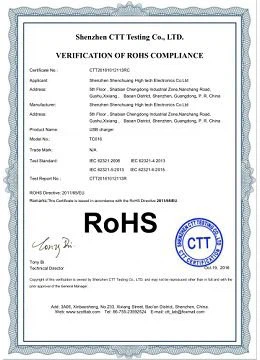
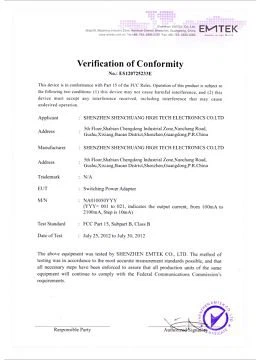
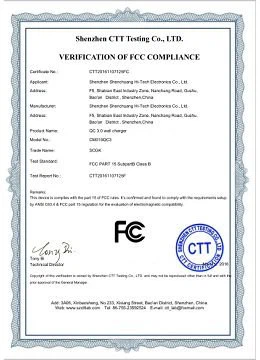
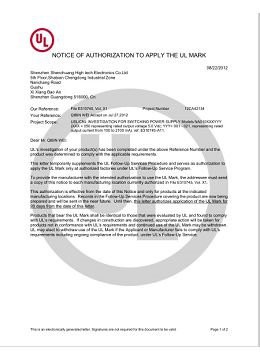
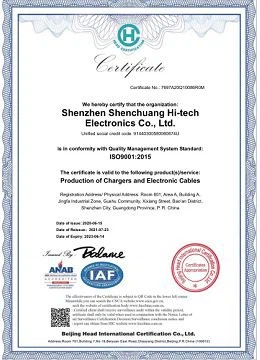
ISO,BSCI MFI certified factory With FCC CE UL ETL UKCA PSE SAA ROHS,CB certificates.
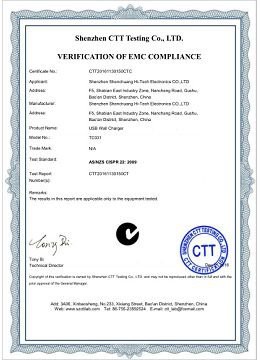
 

image001
image003
image005
image007
image009
image011
image013
CE


Our Partners

Within 15 years,we served lots of customers all over the world like above.

productcate-1-1
productcate-1-1
productcate-1-1
productcate-1-1


Rich ODM Experience
 

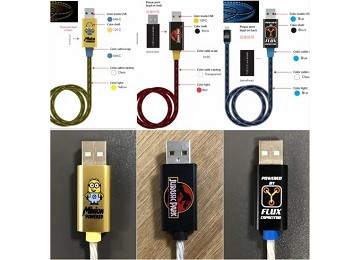
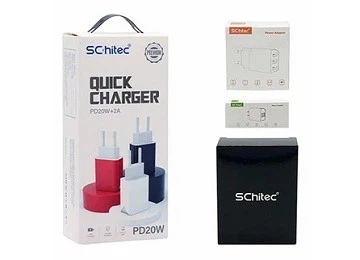
Various types of chargers and cables can be customized to meet customers' needs including Logo printing, package customization.
productcate-360-260
productcate-360-260
productcate-360-260


Frequently Asked Questions


Q: Is Type-C cable micro?

A: USB-C is the faster connector, incorporating USB 3.0 and USB 3.1 technologies to transfer data between 5 Gbps (gigabits-per-second) and 10 Gbps. On the other hand, Micro USB connectors only transfer data at up to 480 Mbps (megabits per second), or up to 5 Gbps if the cable supports USB 3.0.

Q: What is the difference between Type-C and micro USB?

A: The charging port of a Type-C cable has a flat round shape and supports reverse insertion. The charging port of a micro-USB cable has a ladder shape and does not support reverse insertion.

Q: How do you tell if a micro USB cable is a data cable?

A: A data cable will usually have four wires, one positive and one negative, one for receiving data and one for transferring data. A charging cable, however, will typically only have two wires, the positive and negative ones but none of the data wires.

Q: Are micro USB cables still used?

A: While some smartphones have moved on to USB-C, most portable devices like phones, cameras, and external power banks will use Micro B USB cables. Often you can hear people refer to these as "Android cables." Mini-B. Mini-B USB cables are now almost exclusively used for digital cameras.

Q: Is micro USB Type B or Type-C?

A: The very small USB port found on many non-Apple cellphones, tablets and other portable devices is a Micro USB socket. Considerably smaller than USB Type A and B, Micro USB is also half the thickness of Mini USB. Micro USB has been superseded by USB Type C on many new products.

Q: Can I use Type-C cable with micro USB adapter?

A: However, you'll need an adapter because the USB Type-C connector has a different shape to the connectors on USB 2.0 and 3.0 cables. Yes, you can use a USB Type-C cable with a USB Type-C connector on one end and a micro USB connector on the other end to charge your Android phone with a micro USB port.

Q: What does a micro USB C look like?

A: The USB-C connector looks similar to a micro USB connector at first glance. But if you look closer, you will see it's more oval in shape and slightly thicker to accommodate its best feature: flippability. Like Lightning and MagSafe, the USB-C connector has no up or down orientation.

Q: Is iPhone Type-C or micro USB?

A: The longest holdout has been the iPhone-despite adding USB-C to every new MacBook and iPad in the past few years, Apple has opted to stick with its proprietary Lightning connector for its smartphone.

Q: What can be connected to a micro USB cable?

A: A micro USB is a miniaturized version of the Universal Serial Bus interface developed for connecting compact and mobile devices, such as smartphones, MP3 players, Global Positioning System devices, printers and digital cameras.

Q: Why do some micro USB cables not work?

A: In short, a cable doesn't always have the proper connection, and depending on the device, it may or may not accept it. The actual length of the cable doesn't apply to this. USB generally come in two flavor, power(charge-only) and data-cable. From the outside, they look exactly the same.

Q: Are all micro USB cables equal?

A: No, all micro USB cables are not created equal. Like any other manufactured product, quality can vary from manufacturer to manufacturer. Most are OK for data transfer and kind of suck at charging.

Q: How can you tell the difference between a micro USB A and B?

A: The main physical difference between Micro-A and Micro-B is the shape of the connector. Micro-A is rectangular, while Micro-B is a bit asymmetrical with a small notch on one side. This makes it easy to distinguish them visually and prevents you from accidentally using the wrong cable.

Q: What is the difference between micro USB and micro B?

A: Type A plugs are typically used to plug into a “master” device, such as a computer. Type B plugs connect to a “slave” device, such as a printer or cell phone. A micro-B receptacle will only work with a micro-B plug. A micro-AB receptacle will work with both micro-A and micro-B plugs.

Q: Do Android phones use Micro USB?

A: Android smartphones have used the USB Micro-B connector for both data transfer and charging almost exclusively since their introduction in 2008. Android tablets also use Micro USB but often have a separate port for their own power adapter.

Q: How do I charge my Type-C phone with a Micro USB?

A: First, you need a micro USB to Type-C adapter, with a micro USB port and a Type-C plug. Insert the Type-C plug into your phone to start charging or transfer data.

Q: Is Lightning the same as micro-USB?

A: Furthermore, Lightning is Apple's proprietary charging option, while Micro-USB is a standardized model that works on a wide range of devices. In terms of charging efficiency, Lightning supports faster charging at the same voltage compared to USB-C.

Q: Are some micro USB cables only for charging?

A: Some USB cables are not data cables. They are only meant for charging and do not have the wires for data transmission inside them. These are called charge-only USB cables and they can be identified by a different color or symbol.

Q: How much power can a micro USB cable handle?

A: Regarding their power specification, Micro-USB connectors are rated for 2 Amps at 5 Volts (10 Watts)-anything more and you run the risk of damaging the connector. As for data specifications, Micro-USB data lines are only able to support USB 2.0, as they physically lack the capability to run USB 3.0 data.

Q: How many pins does a micro USB cable have?

A: USB 2.0 uses two wires for power (VBUS and GND), and two for differential serial data signals. Mini and micro connectors have their GND connections moved from pin #4 to pin #5, while their pin #4 serves as an ID pin for the On-The-Go host/client identification.

Q: How many wires are inside a micro USB cable?

A: USB cable has four conductors, two for power and two for data. The data wires are 28 AWG, the power wires are 20 to 28 AWG. The power cores are un-twisted and the data lines twisted. Longer cables will use 20 AWG for power.

We're well-known as one of the leading micro cable manufacturers and suppliers in China. Please feel free to wholesale high quality micro cable made in China here from our factory. Contact us for more details.

(0/10)

clearall